You know you asked an AI about this a few weeks ago. You remember the answer was good. You do not remember which chat it was in, or whether it was ChatGPT or Claude.
Searching your own history should be the easy part. This guide shows how to do it in ChatGPT, where that search stops being enough, and how to search ChatGPT, Claude, Gemini and Grok together.
How do you search your chats in ChatGPT?
Click the magnifier in the sidebar, or press Ctrl+K (Cmd+K on a Mac). Type a few words and ChatGPT lists matching chats. Click one to open it.
That is all you need when you remember a distinctive word and you only use ChatGPT. Two tips make it work better:
- Search for the odd word, not the topic. "Kubernetes" will match half your history. The name of the client, the error message or the file name matches one chat.
- If the chat is old, check it hasn't been archived. Archived chats are hidden from the sidebar list, but they stay searchable.
Where does ChatGPT's search stop being useful?
In two places, and you'll notice them once you have a few hundred chats.
It only covers ChatGPT. If the useful answer was in Claude or Gemini, you have to go and search there too, in a different box with different rules.
It's a plain word match. As far as we can tell there is no way to say "exact phrase", "not this word", "only my messages" or "only last month". When the first ten results all look alike, you open them one by one.
None of this is broken. It is built for finding a recent chat quickly. It is less good as a search over a year of work.
How do you search all your AI chats at once?
Recallery builds a search index of your chats on your own computer. It reads the history from each site in the background, a little at a time, and keeps a searchable copy in your browser. Nothing is uploaded. The first pass over a big history takes a while, and search works on whatever has been indexed so far.
- Press
Cmd+Shift+.(Ctrl+Shift+.on Windows and Linux), or open the command palette and choose "Search all chats". - Type what you remember. Results come back as you type and the matching words are highlighted.
- Press
Enterto open a result. It opens the chat at the matching message, highlighted, so you don't scroll.
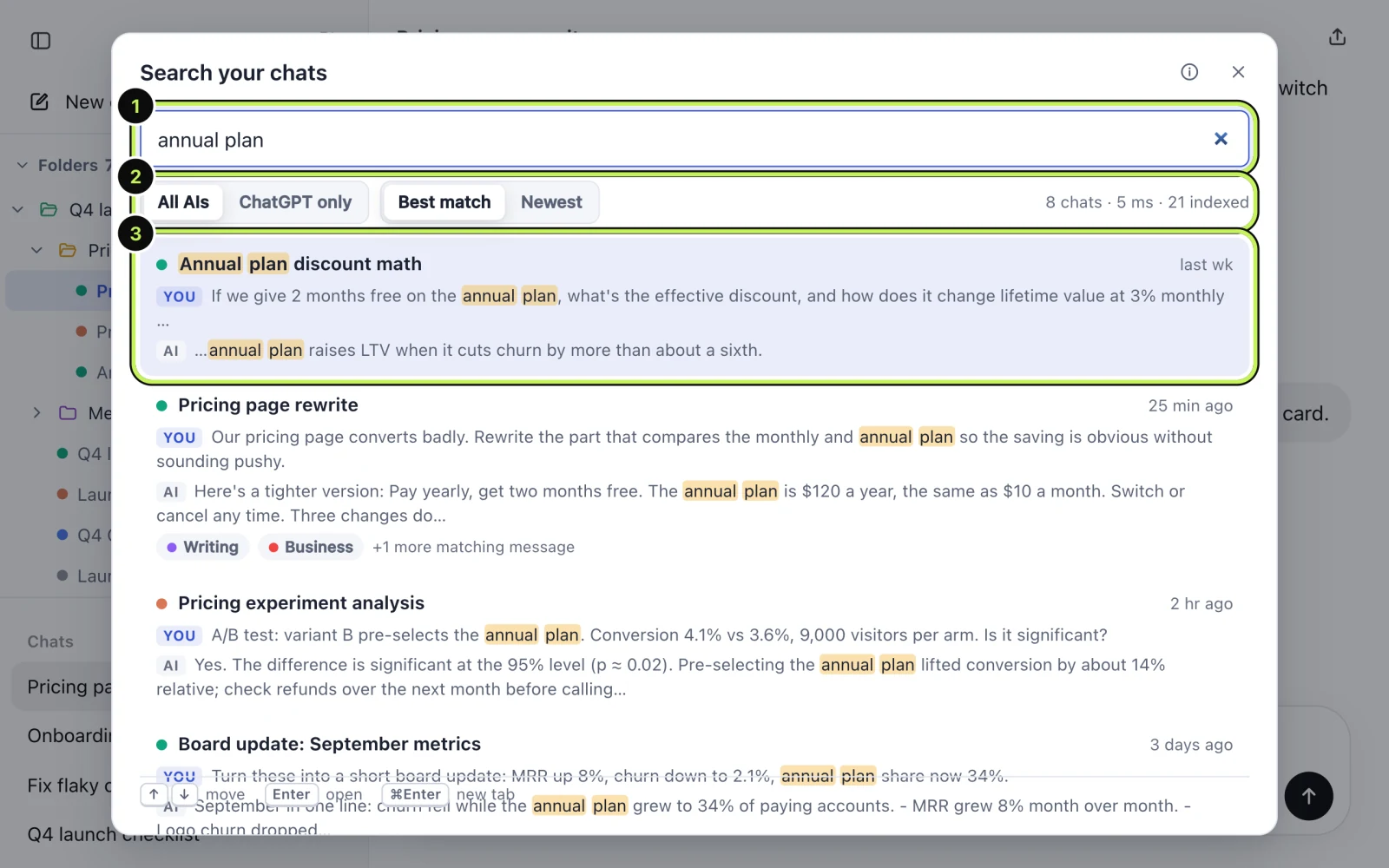
Hold Cmd (or Ctrl) with Enter to open the result in a new tab and keep your place.
You can also select text on any page, right-click, and choose "Search your AI chats for" followed by your selection.
Which search operators work?
You don't need any of these, but they help once the list of matches is long. Put them in the same box.
| Type this | What it does |
|---|---|
"exact phrase" | Matches the words in that order |
-word | Leaves out chats with that word |
a OR b | Matches either word |
in:title | Searches chat titles only |
role:me | Searches only what you wrote |
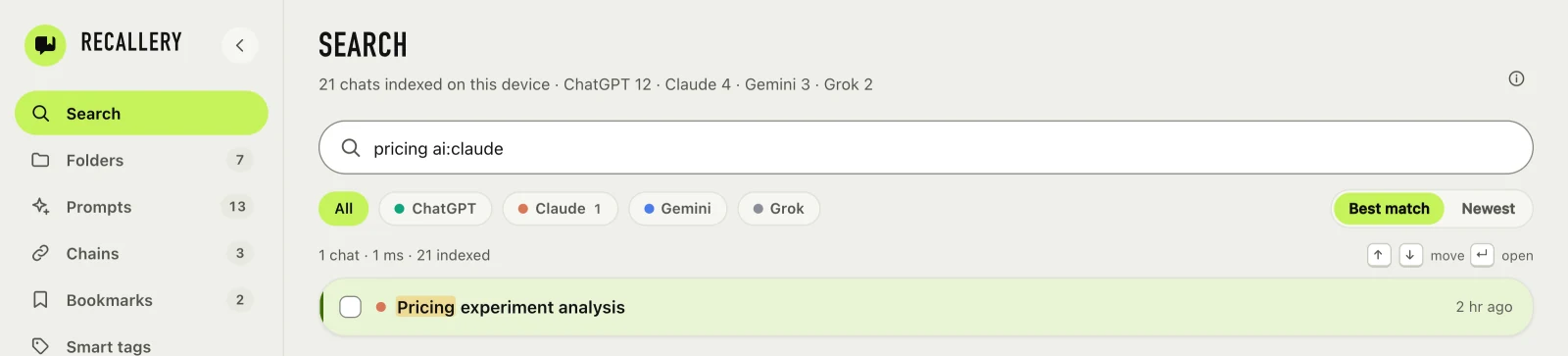
ai:claude | Limits to one AI (chatgpt, gemini, grok too) |
folder: and tag: | Limits to a folder or a tag |
is:bookmarked | Only chats with a bookmarked message |
after: and before: | Limits by date |
So pricing ai:claude role:me finds the chats where you wrote about pricing to Claude, and "error budget" -postmortem skips the ones you already know about.
What does the free plan include?
Search over the last 30 days of chats. Pro searches your whole history. If you try it for the 7-day trial, you get the full version while you decide.
Does search send my chats anywhere?
No. The index lives in your browser's own storage on your computer. Recallery has no server that sees your conversations. You can clear the index from settings.
Questions people ask
Can you search ChatGPT chats by what was said in them? Recallery does: it indexes the text of every message, not just titles. For ChatGPT's own search, try a distinctive word and see what it finds; we haven't measured how deep into long chats it looks.
How do I find a ChatGPT chat I deleted? You can't. Deleted chats are gone from your history, so there is nothing to search. Archive instead of deleting if you might want a chat back.
Does it work on Claude, Gemini and Grok? Yes, the same box searches all four.