You're forty messages into a ChatGPT chat about a tricky problem, and you want a second opinion from Claude. Or you hit a usage limit. Or one model just keeps missing the point.
Starting fresh means explaining everything again. Pasting the whole chat in is slow, and the formatting usually turns to mush. This guide covers what the AIs offer, and a quicker way to hand a conversation over.
Can you move a chat from ChatGPT to Claude or Gemini directly?
Not as a single click, as far as we can tell. There are two partial answers.
Importing your history or memory. Gemini lets you bring in memory and chat history from other AI apps, and Claude has a memory import page of its own (Google's help page, Claude's import page). This is about teaching the new AI who you are and what you've talked about before. It's a one-time setup, and it doesn't put one particular conversation into a live chat.
Looking up older chats. Claude can find earlier chats when you ask it to, but only its own (Anthropic's note). A ChatGPT conversation isn't in there.
So for "carry on this exact chat over there", you are left with copy and paste.
What goes wrong with copy and paste?
- You have to select the whole chat, which on a long thread means a lot of scrolling and a drag selection that sometimes drops the bottom.
- Code blocks, lists and tables lose their shape on the way.
- You have to remember to explain what you pasted: "this is a conversation I had with another AI, carry on from the end".
- Long chats can be over the new AI's limit, and you only find out when it complains.
None of it is hard. It's just five minutes of fiddling each time, which is why people don't do it and stay stuck with the first AI's answer.
How does Recallery hand a chat over?
Recallery is a Chrome extension. It can take the chat you're looking at and open a new chat on another AI with the conversation already in the message box.
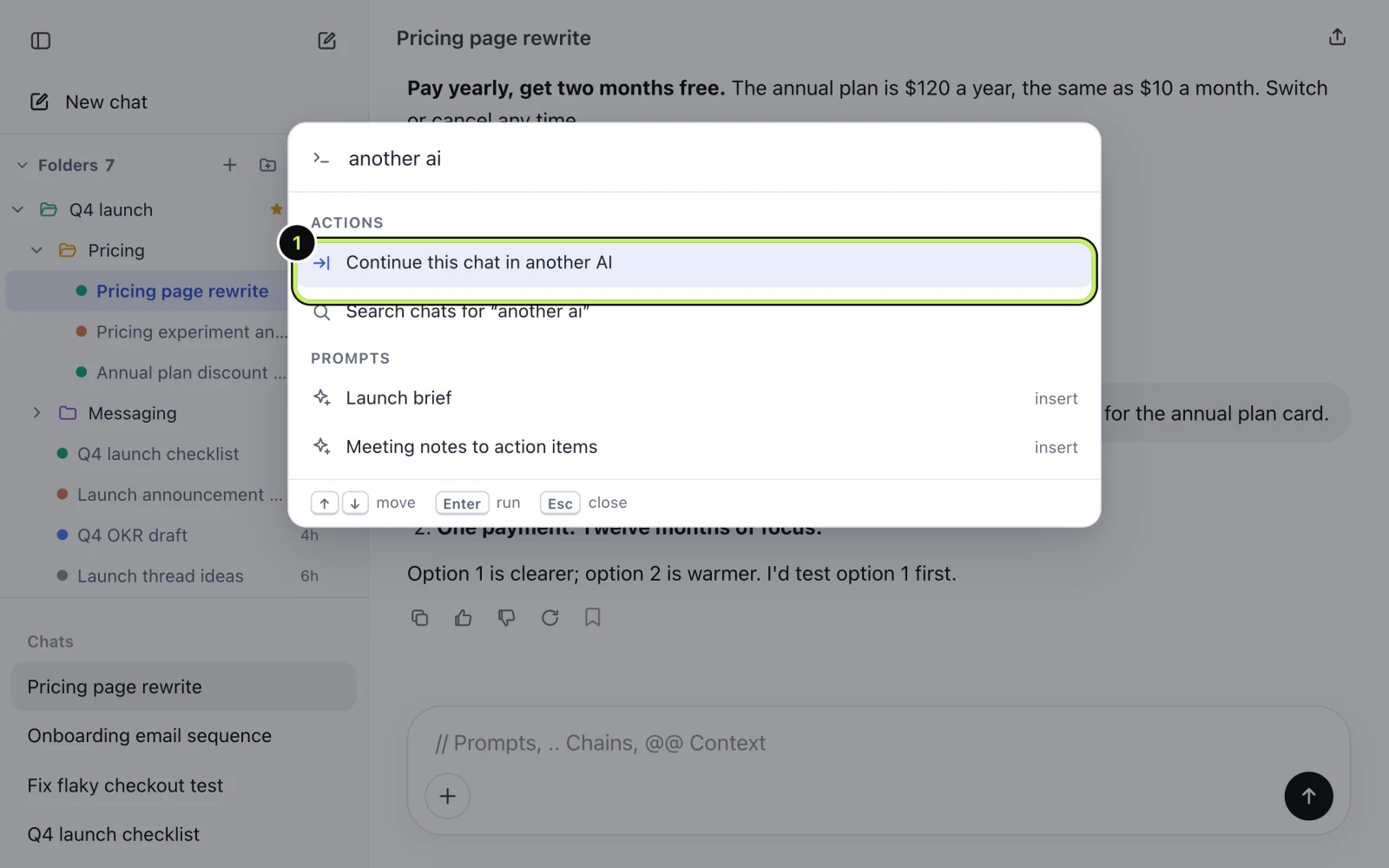
- Open the command palette with
Cmd+Shift+K(Ctrl+Shift+Kon Windows and Linux) and type "another ai". Pick Continue this chat in another AI. - Choose where to go: Claude, Gemini or Grok.
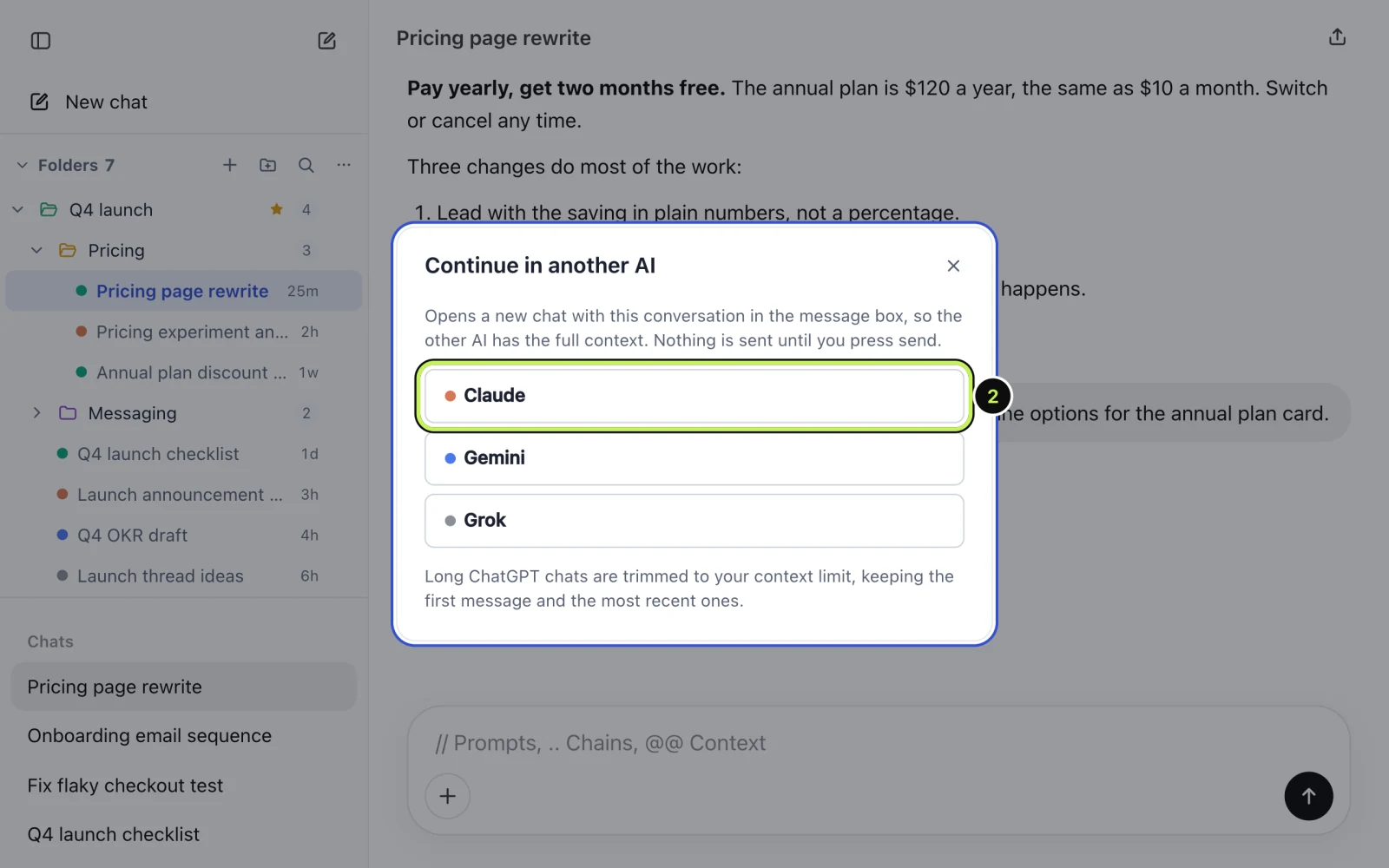
A new chat opens on that AI with the conversation in the message box. Read it over, add what you want to ask ("what would you do differently?"), and send it yourself. Recallery doesn't press send for you.
On ChatGPT you'll see ChatGPT left out of the list, since that's where you are. The list changes to match the site you're on.
What about very long chats?
Every AI has a limit on how much it can read at once, so a very long chat is trimmed. Recallery keeps the first message, which usually sets up the task, and the most recent ones, which are what you're working on, and leaves out the middle. The dialog mentions this too. You can change the size limit in settings.
If the middle matters, you can search for the part you need and paste it in by hand, see how to search your chat history.
What if you only want a bit of context?
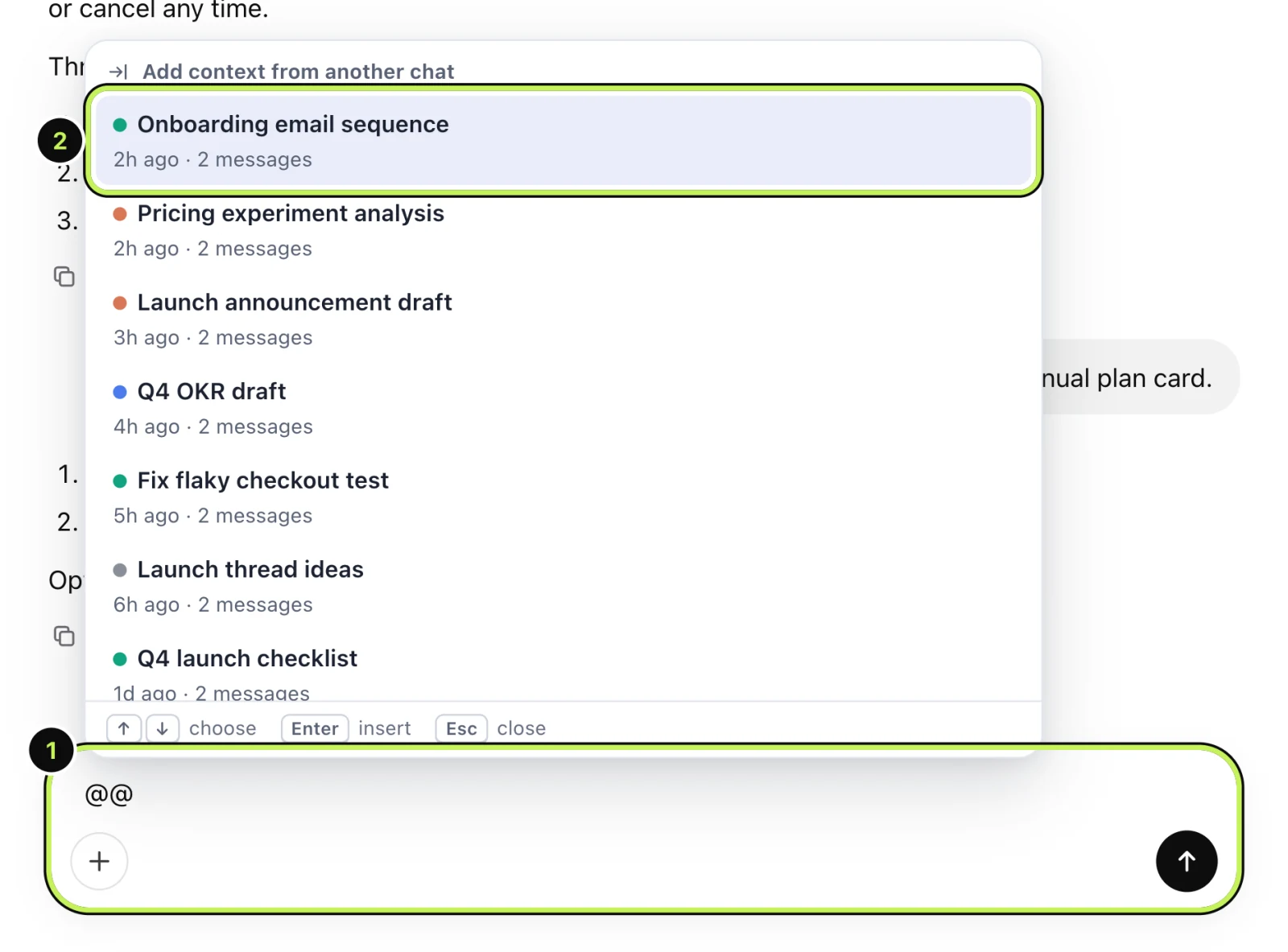
Type @@ in any message box. A picker lists your other chats. Choose one and Recallery adds its text to the message box as background, which is handy when you want to say "use what we worked out in that other chat" without switching AIs.
What are the limits?
On the free plan, @@ and Continue in another AI share 5 uses a day. Pro removes that limit.
Questions people ask
Does the other AI see my whole account? No. Only the text of this one conversation goes into the message box, and only if you send it.
Does it work from Claude to ChatGPT? Yes. The list shows the other supported sites, whichever one you start from.
Is my chat uploaded anywhere? No. It all happens in your browser and there's no Recallery server in the middle.