Some jobs don't fit in one prompt. You want research, then an outline, then a draft, and each step works better when the one before it is already on the page. So you send the first prompt, wait, read, paste the second, wait, paste the third.
That waiting is the annoying part. You can't leave, because the next paste is your job. A prompt chain takes that job over: you write the steps once, and they're sent one after another.
What is a prompt chain?
A list of prompts that run in order in the same chat. Step two goes out when step one's reply has finished, step three when step two's has, and so on. Because it's all one conversation, each step can refer to what came before: "now turn that into an outline".
It is not a different kind of AI feature. It is the same thing you would do by hand, with the waiting removed.
Can ChatGPT do this by itself?
Not in the chat box, as far as we can tell. You can paste a long prompt that says "do these five things in order", and sometimes that is the right call. It has a cost: ChatGPT answers all five in one long reply, and you can't stop after step two to steer it.
A chain keeps each step as its own message and its own reply. You read each answer, and you can stop the run whenever you want.
How do you run a chain with Recallery?
Recallery is a Chrome extension that works in the message box on ChatGPT, Claude, Gemini and Grok. Chains use the .. trigger.
- Type
..in the message box. A list of your chains opens. - Pick one, for example "Research, outline, draft".
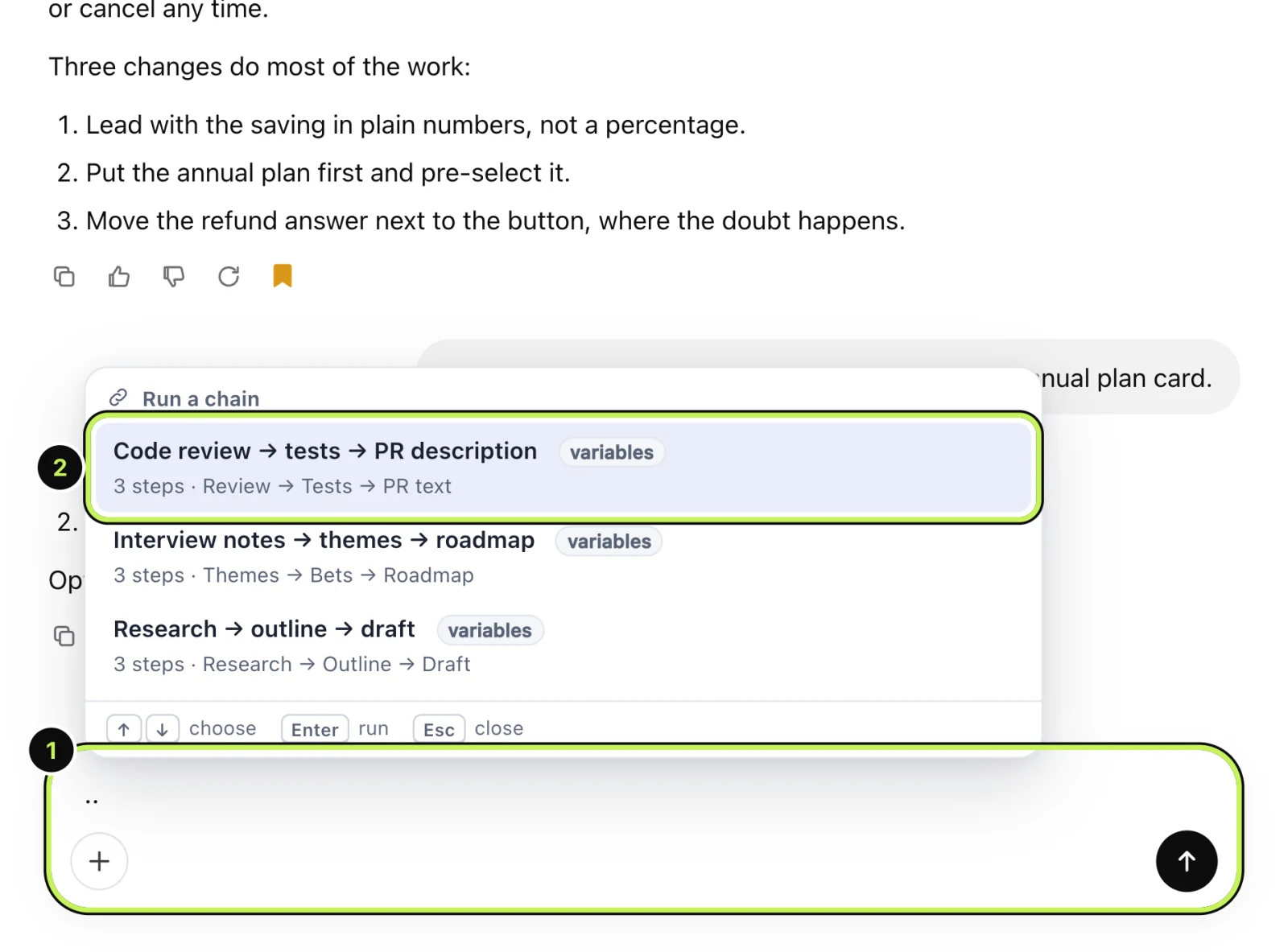
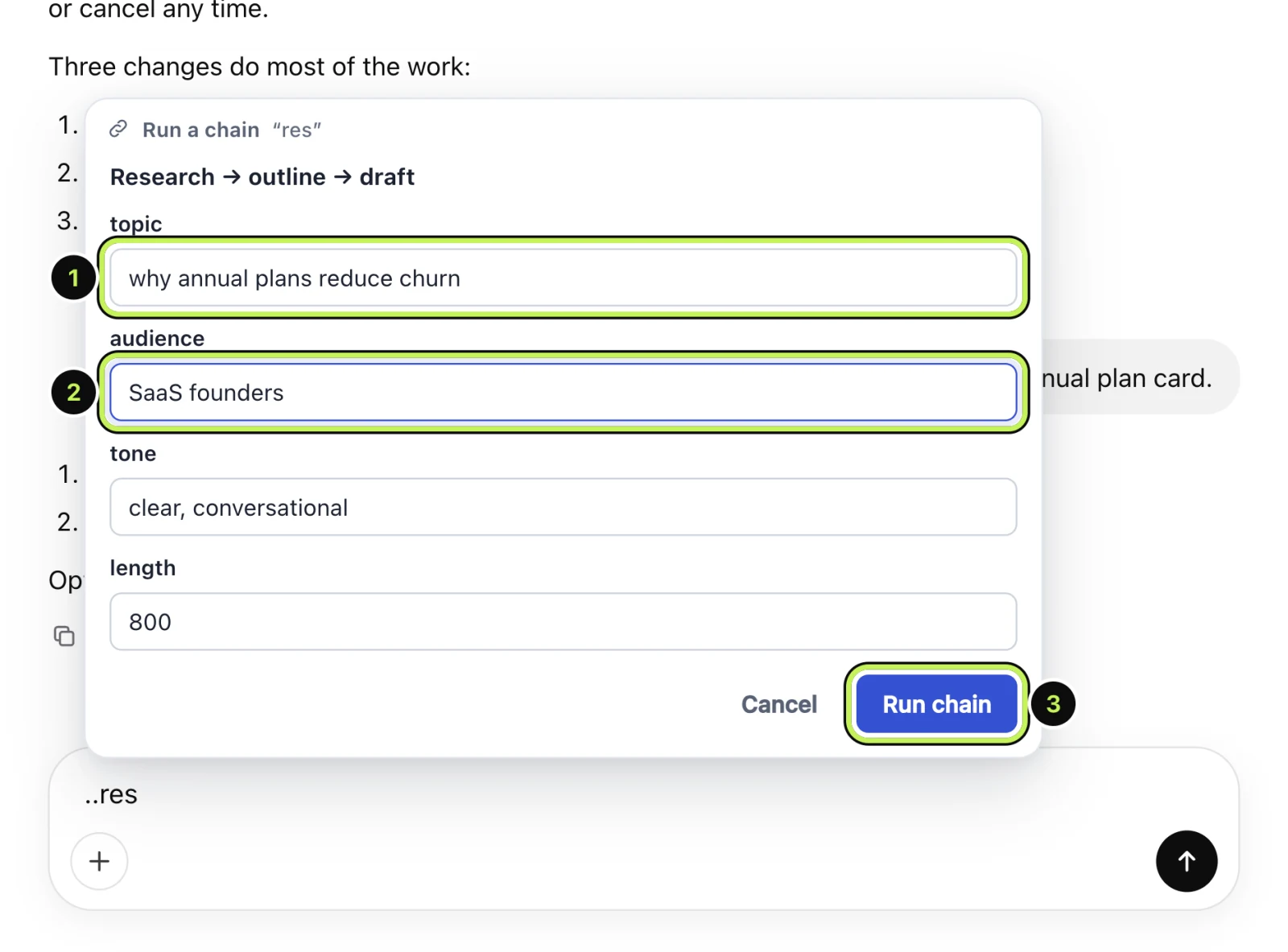
If the chain has blanks, a short form asks for them. These work like template variables, asked once for the whole chain.
- Fill in the first blank, such as the topic.
- Fill in the rest. Some have defaults you can leave alone.
- Press Run chain.
A small bar appears at the bottom of the chat with the current step ("Step 2 of 3") and a Stop button.
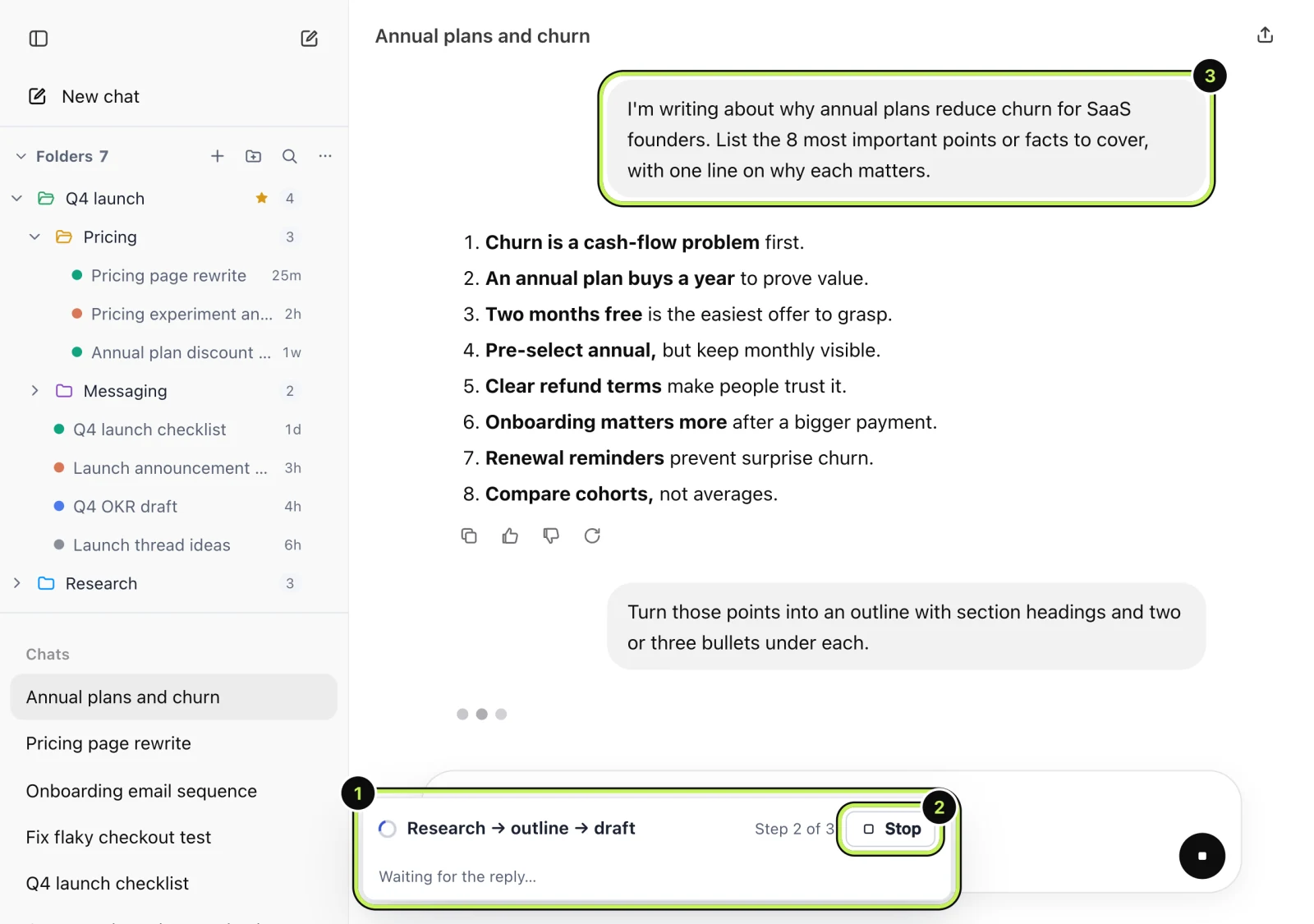
Each prompt is sent as a normal message and each reply appears in the chat as usual. When the last reply finishes, the run is over and you're left with a normal conversation you can carry on in.
How do you write a chain?
Open the command palette with Cmd+Shift+K (Ctrl+Shift+K on Windows and Linux) and choose "New chain", or use the Chains page on the dashboard. Give it a title, then add steps, each one a prompt. A chain can have up to 30 steps.
A few things that make chains work well:
- Make each step do one job. "Find the five strongest arguments" is a better step than "research it and then write it".
- Say what to do with the last answer. "Using the points above" beats assuming the model will connect them.
- Put the blanks in the first step if you can. Later steps usually refer back to it.
The free plan ships with a three-step starter chain (research, outline, draft) so you can run one before you write your own.
What happens if a reply goes wrong?
Press Stop on the bar. The run ends and everything sent so far stays in the chat, so you can fix the next prompt or carry on by hand from there.
The chain is sent from the page you're on, so keep the tab open while it runs.
What are the limits?
The free plan keeps 1 chain. Pro removes that limit.
Questions people ask
Does a chain use more of my ChatGPT allowance? Each step is a normal message, so yes, a five-step chain is five messages. It is the same as doing it by hand.
Can I chain prompts across different AIs? A chain runs in one chat on one site. To take a conversation from one AI to another, see continuing a chat in another AI.
Is anything sent to Recallery's servers? No. Your chains are stored in your browser, and the steps go straight to the AI site you're on.